SYNAPSE KIOSK · OPTIONAL SHARING STATION

More sharing.
Away from
the camera.

Let guests browse, print and share their photos at a dedicated station, while you keep your booth running.

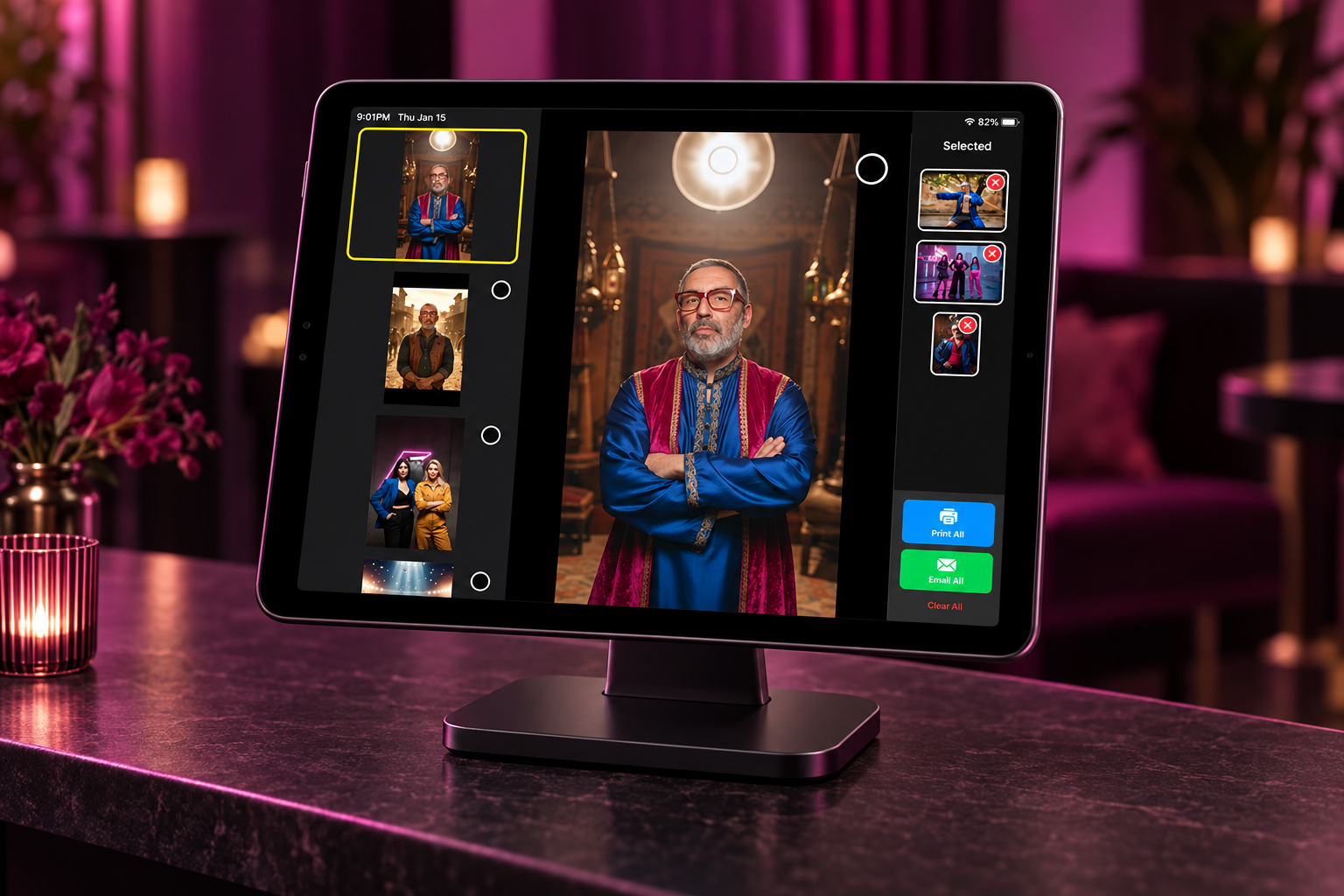
Synapse Kiosk gallery on an iPad sharing stand, with print and email options
A SIMPLE ROLE IN YOUR SETUP

The photos are ready.
Let guests take it from here.

Browse and select photos in Synapse Kiosk on an iPad stand

Browse & select

Guests find their favorites in a visual event gallery.
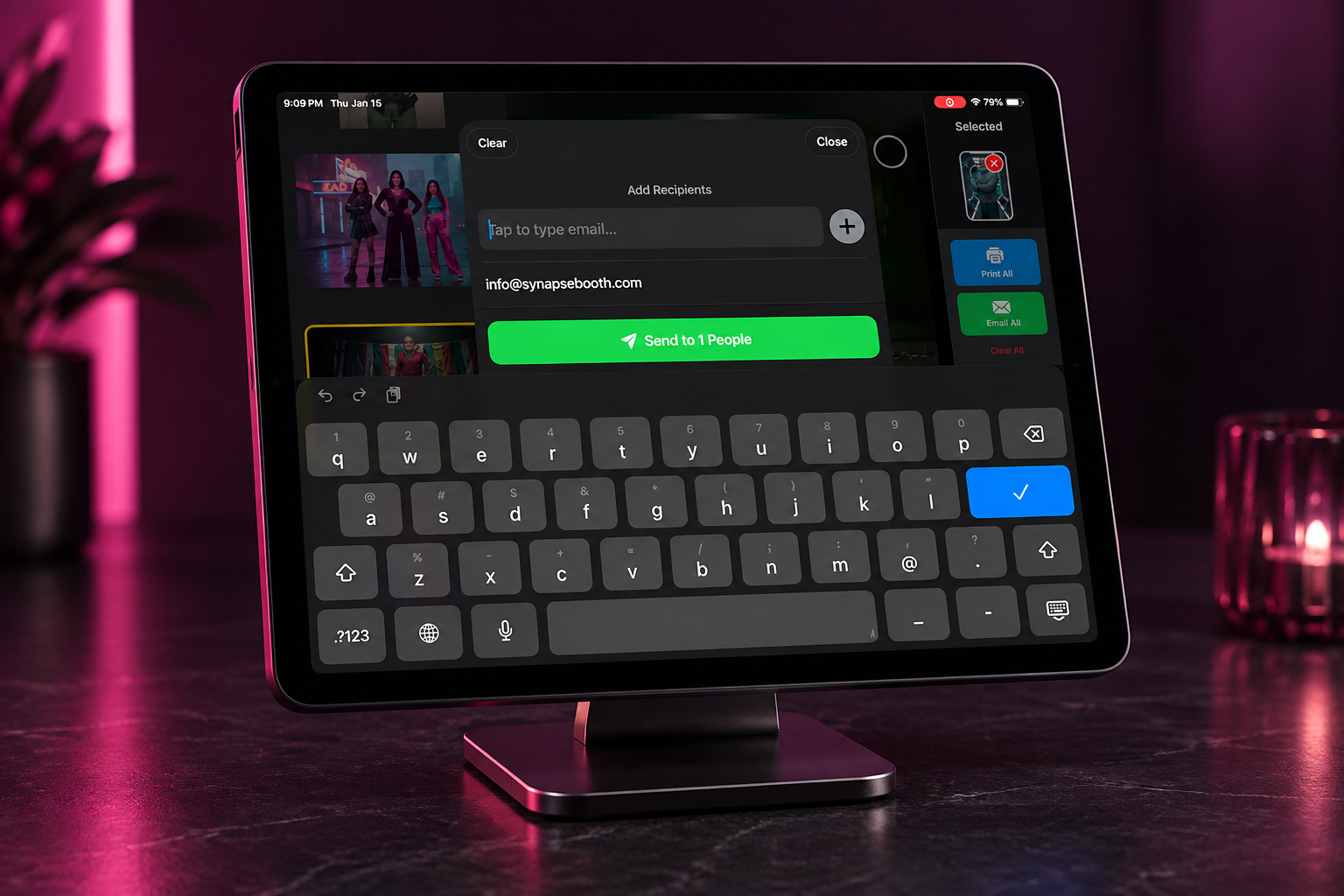
Email sharing dialog in Synapse Kiosk on an iPad stand

Print & share

Send print and sharing requests to your configured Windows server.

Touch to start welcome screen on an iPad sharing stand

Welcome the next guest

An attract screen keeps the station inviting between sessions.

HOW IT FITS TOGETHER

Windows does the work.
iPad welcomes the guests.

The Windows Kiosk Server watches your event photo folders and handles the printer and sharing services. The iPad connects on the same local network.

  • Your event photos feed the gallery
  • Your configured Windows printer produces the prints
  • The iPad gives guests a simple browsing screen

Kiosk browses existing photos. Capture and AI generation happen in Booth.

Kiosk photo gallery layout
Kiosk event branding options
YOUR EVENT IDENTITY

Make every station
feel like your brand.

Customize the guest experience with your event’s branding. Offer a cloud gallery with the applicable pass, and collect guest details through the configured sharing flow.

SEE THE EXPERIENCE

Kiosk in action.

Follow the guest journey from browsing to sharing.

Find the right software
for your booth.